Working with your data
Etals writes better when it knows your items. A product description written from the material, the colour and a supplier note is far better than one written from a name alone. This page explains how Etals organises that data, so the rest of the docs make sense.
Four words to know
Read more in Content types and Properties.
One property, many versions
Some values are the same everywhere. A jacket’s colour does not change between Sweden and Germany. Other values change by place or language. Nordvik wants one Description in Swedish, one in Norwegian, one in German, and so on.
A property’s Varies by setting handles this. Description at Nordvik varies by language, so every product has one Description per language. Meta title varies by website, so every product has one Meta title for nordvikoutdoor.se, one for nordvikoutdoor.de, and so on. Each of those versions is called a localization.
You pick Varies by when you create the property. See Properties.
Two switches that matter most
Every property has two settings that decide how Etals treats it. You find both on the Properties & prompts tab.
They are independent. Nordvik switches Etals can generate off for Supplier Notes (Etals should never rewrite them) but leaves Agents can see on (they are great raw material for a Description). What agents see explains the second switch in detail.
How data gets in
How data gets out
A tour of My Data
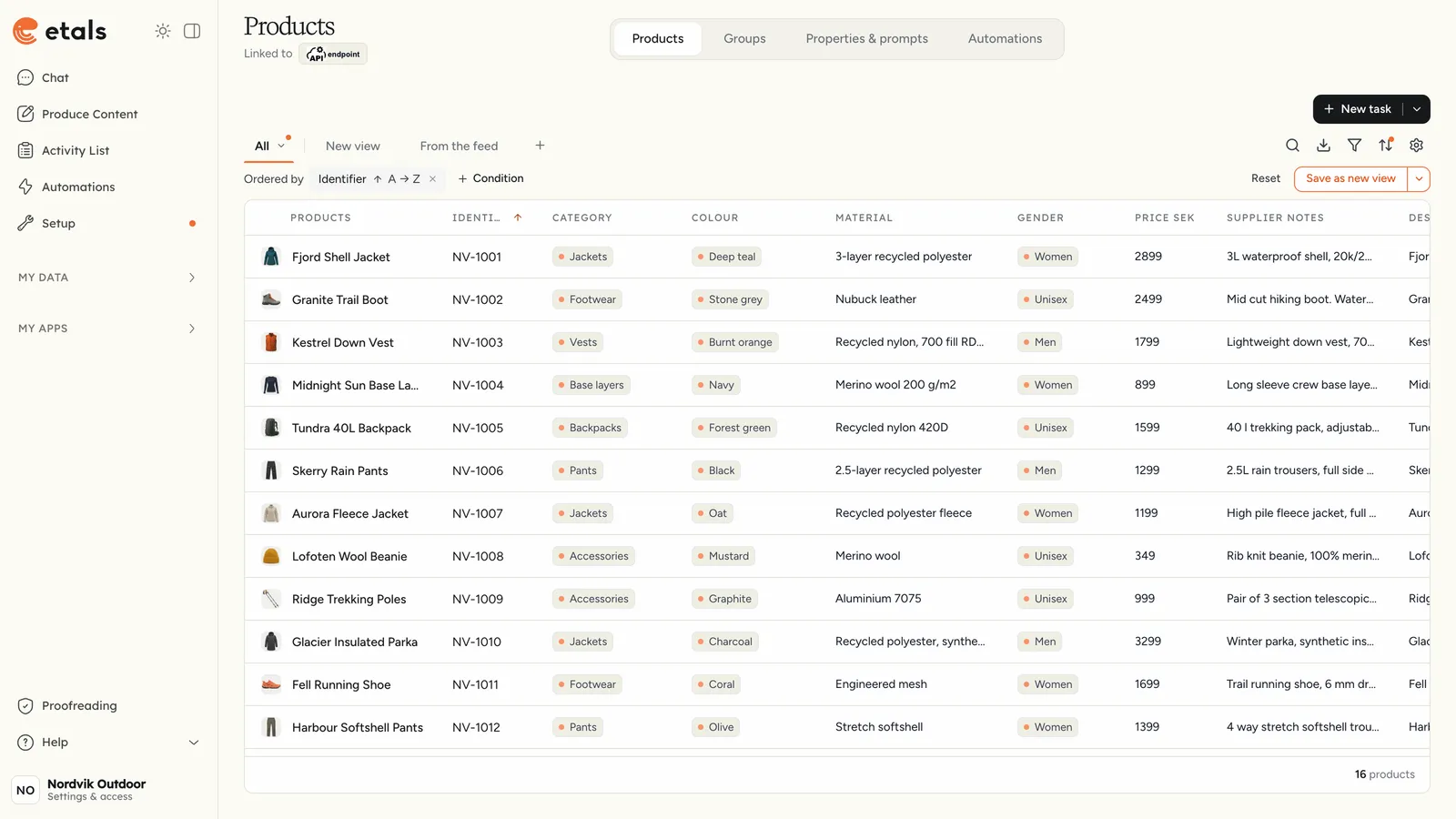
Open My Data in the sidebar and pick a content type. Your content types share one list there. Favorites show at the top, and content types from a connected platform are grouped under that platform.
The tabs
When Insights is active, key figures show above the table, for products Search clicks, Search visibility, Written in Etals and Average position. Click one to open it in Insights. They need the same access as the Insights tab.
Views, search and filters
The view tabs above the table start with All, which shows every item. Change the search, filters, sort or columns, then save the result as a view with Save view. Save only for me keeps it private; Save for everyone shares it, if your role allows it. The + next to the tabs creates a new view.
The toolbar icons, from left to right:
- Search narrows the table as you type.
- Export this view downloads the items as they are filtered right now. See Export.
- Filter adds rules such as “Colour is Navy”. The rules show in a strip above the table.
- Sort changes the order. By default, items sort by last updated.
- Table settings picks which columns show. Every localization of a property is its own column, for example Description in Swedish and Description in German.
Tick items to get a bar with Task, Group and Export. The footer shows how many items there are, for example “16 products”, or “5 of 16 products” when a search or filter narrows the table.
Click a value in the table to change just that value. A small window shows the property and its localization, with Cancel and Save, and Open record for the whole item. In categories and pages, a click always opens the whole item.
The item editor
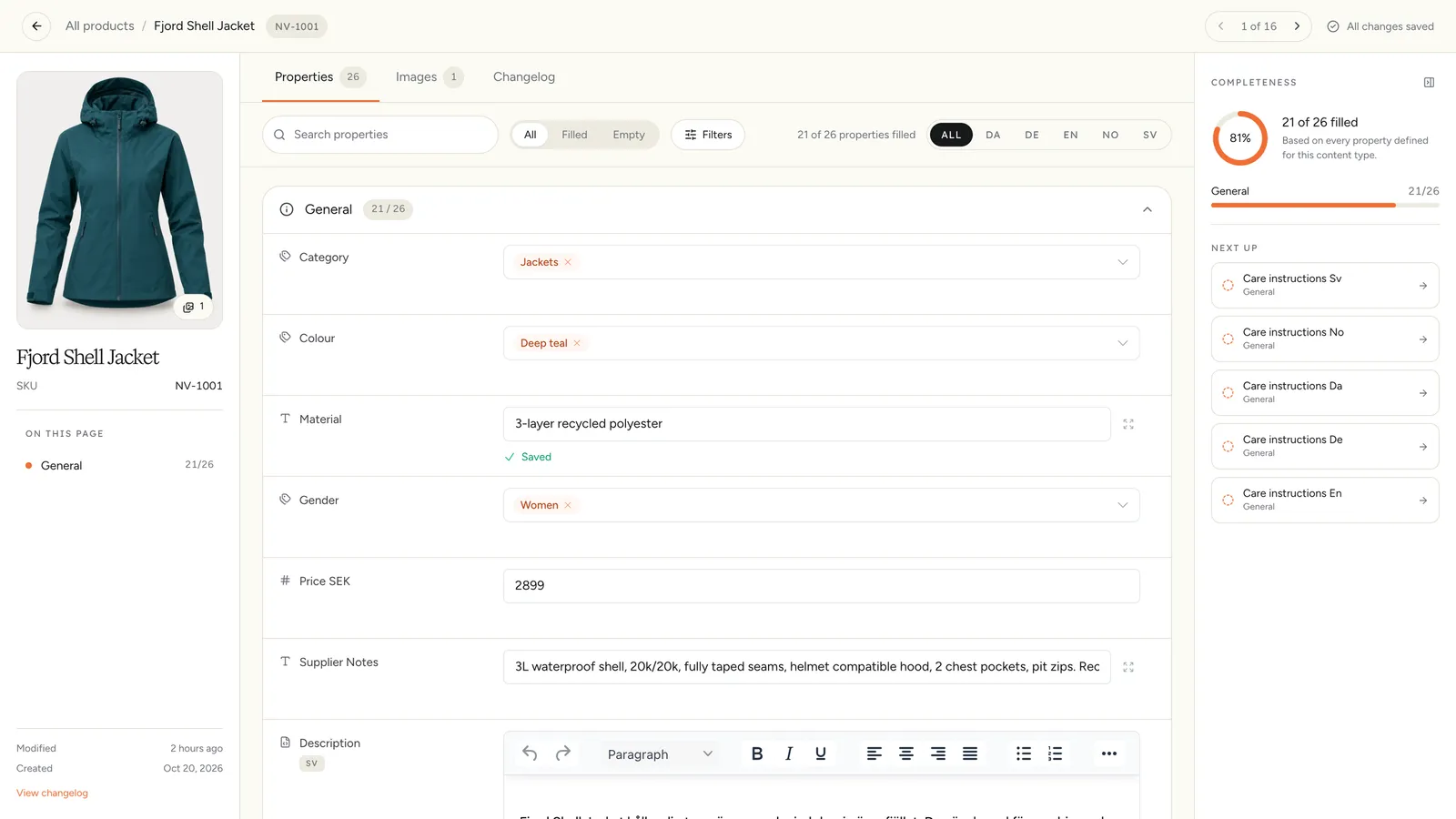
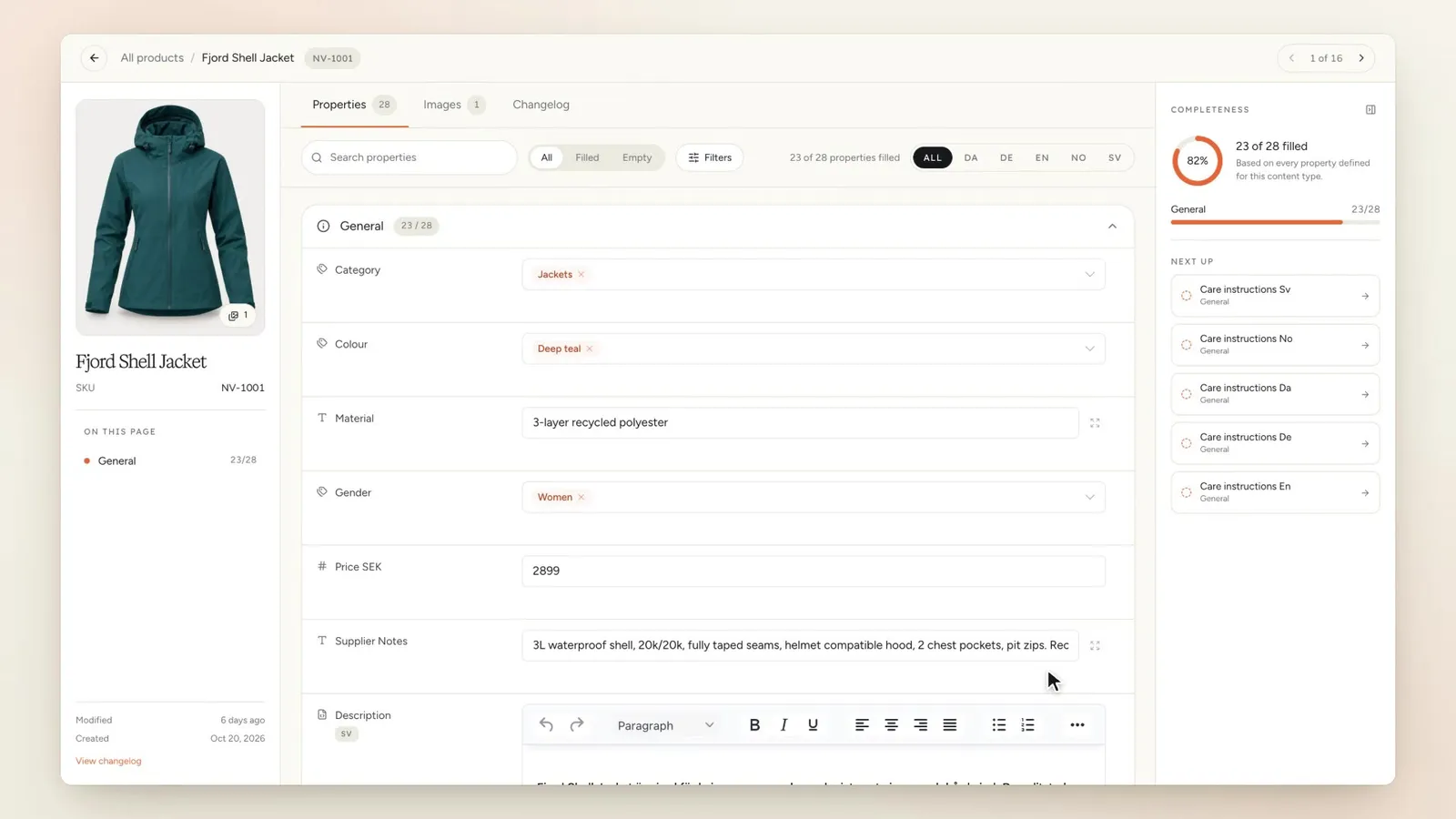
Click an item’s name to open it. You see its image and identifier on the left, and tabs for Properties, Images and Changelog (plus Variants if the content type has variants).
Edit a value and Etals saves it on its own. The header shows “Saving…” and then “All changes saved”.
The Completeness panel on the right shows how much of the item is filled in, counted over the properties that apply to it. Next up lists what is still missing.