
Agents
This is an advanced topic. Etals sets up your agents, and most teams never change them. To change how agents write, edit your skills, audiences and field instructions in Prompts instead.
An agent is a helper with one job. At Nordvik Outdoor, the Copywriter writes product descriptions, the Translator turns them into your other languages, and the Translation Validator checks each translation. Agents run as steps in a pipeline.
Where agents live
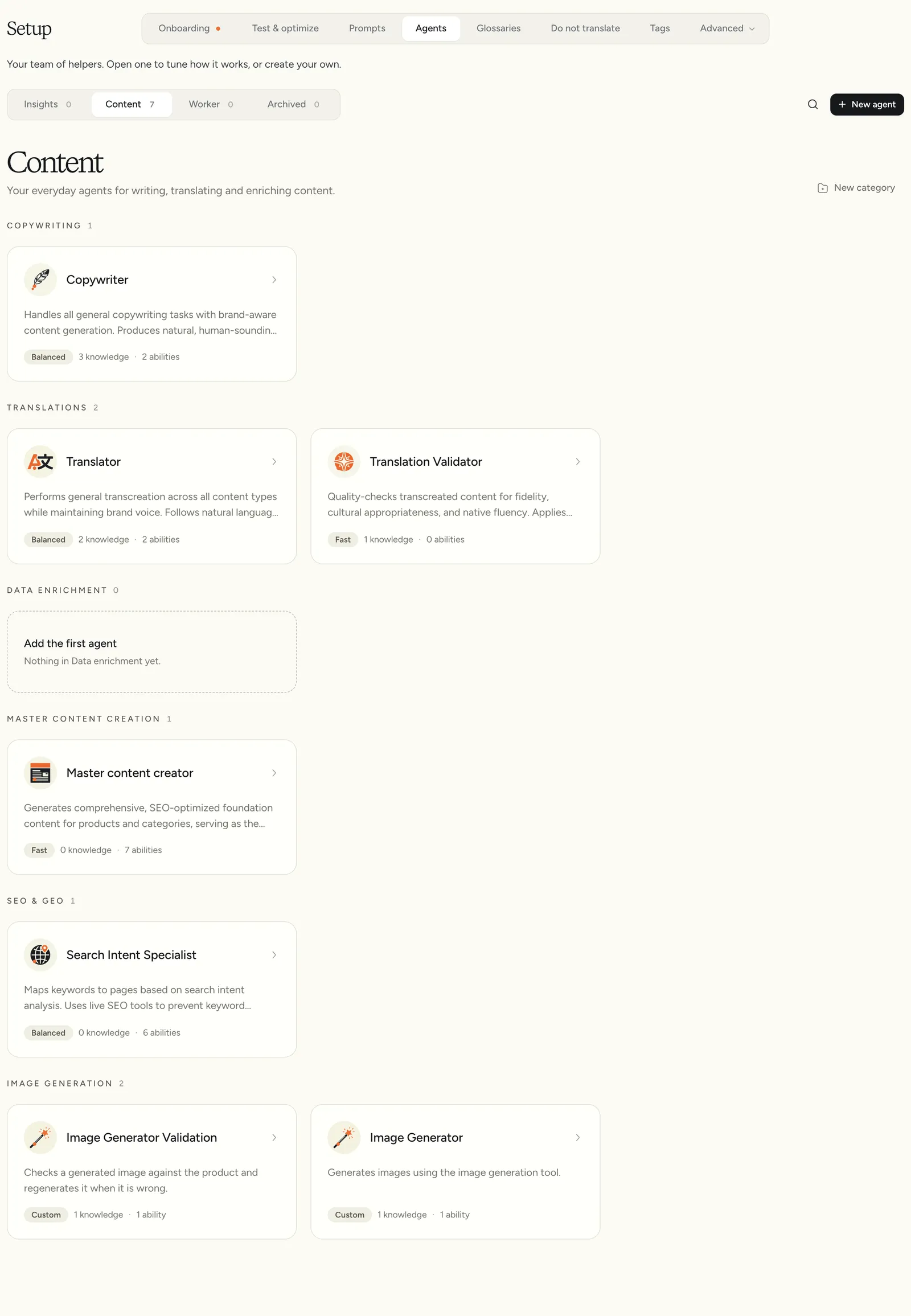
Go to Setup > Agents. The pills at the top sort agents by role:
Each card shows the description, the brain preset, and how many knowledge items and abilities the agent has. Click a card to open it, or click New agent.
The editor
The editor has four sections: Profile, Brain, Knowledge and Abilities. A new agent also gets a Review step before Create agent.
Profile
When you create an agent, Start from offers templates for the role, such as Copywriter, Translator or Trend watcher. A template fills in sensible knowledge and abilities. Blank starts from nothing.
- Name: for example “Outdoor gear copywriter”.
- What it does: one or two sentences. Your team and other agents read this, and Etals uses it to find skills and audiences that fit.
- Role: Insights, Content or Worker.
Insights and Worker agents also get a rhythm, from Every 30 min to Weekly, and can be On or Paused.
Brain
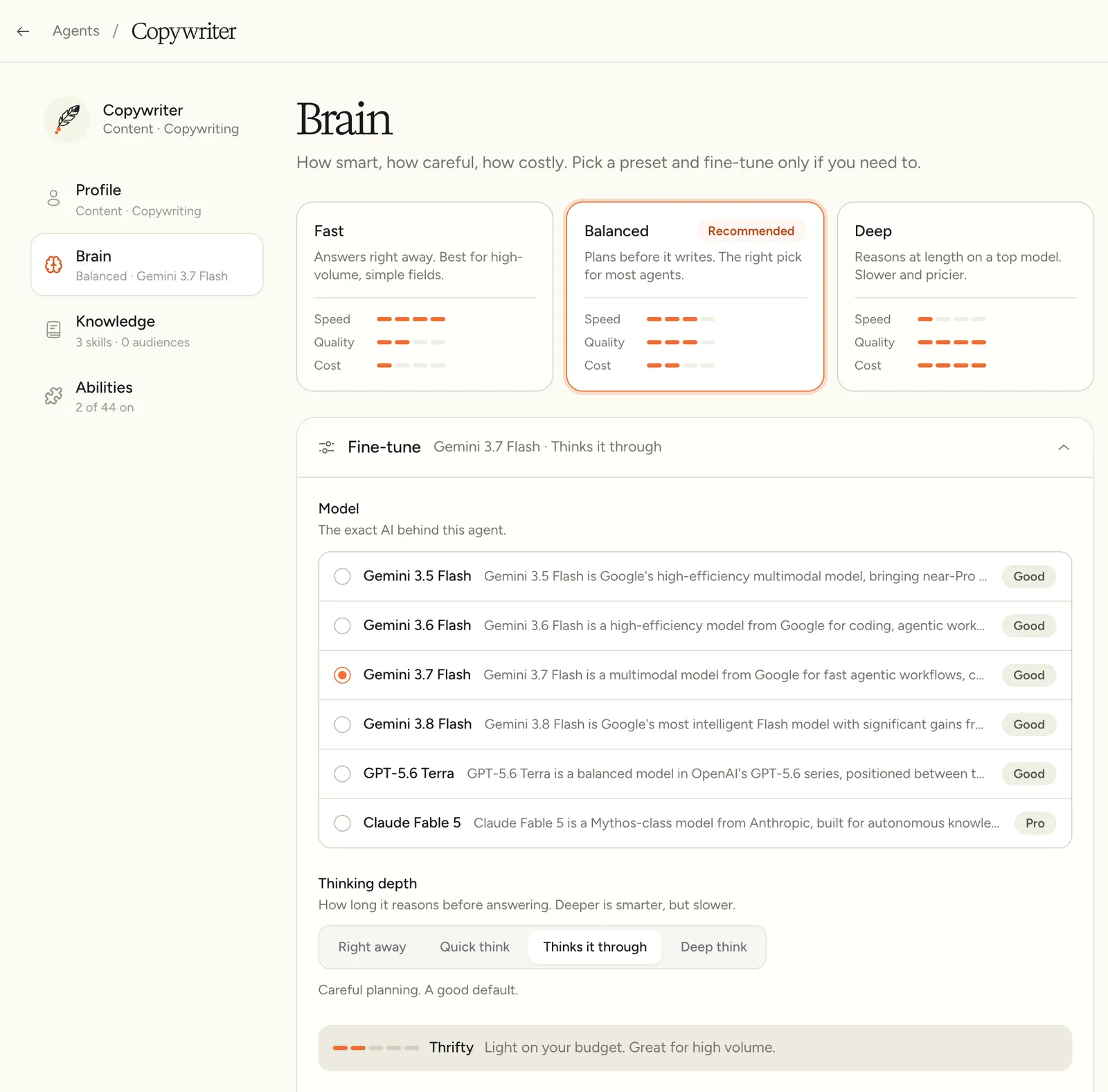
Brain sets how smart, careful and costly the agent is.
Fine-tune gives you more control:
- Model: the exact AI behind the agent. See Models.
- Thinking depth: from Right away to Deep think. A cost bar shows the effect on price.
- Creativity: Precise, Balanced or Imaginative. Keep a Translator on Precise.
- Variety: Fresh every time or Repeatable. Repeatable gives the same result for the same input, which helps when you test.
Knowledge
Knowledge is who the agent writes for and the skills it follows. Both live in Prompts, so editing a skill there updates every agent that uses it.
- Discover skills and audiences automatically: when on, Etals attaches the skills and audiences that fit and remembers what you remove. When off, only what you attach is used.
- Audiences: who it writes for. Ones Etals added carry the Etals mark.
- Skills: the instructions it follows. Ones Etals added show Added by Etals. Search to add one, or create a new one from the search box.
- Recent decisions: what Etals or your team added, kept, left out or removed, and why.
Your choices win. Remove the “Winter campaign” skill from the Copywriter and Etals will not add it again. Add one by hand and Etals will not remove it.
Abilities
Abilities are what the agent may do while it works. Turn on only what the job needs: abilities can add cost, and an agent with fewer of them stays more focused.
You’ll also find Action Links, Naver (Korean SEO) and the TikTok abilities. Worker agents get a few more, such as Agent Memory: “Remember what it learns between runs.”
Nordvik’s Copywriter writes meta descriptions, so Content Length Awareness is on. The Translator doesn’t need Search online, so it stays off.
Memory, Duplicate and Archive
These sit at the top of the editor:
- Memory shows what the agent has learned between runs, and you can edit it. It only appears for Worker agents with memory abilities.
- Duplicate copies the agent. Save your changes first.
- The archive button moves the agent to Archived, where you can Restore it or Delete forever.
Agents that Etals manages show Managed by ETALS, and some of their settings may be locked.