
Export
There are two kinds of export. A file export gives you a CSV or Excel file of a content type’s items, with the columns you choose. An export to a connected platform sends content that Etals wrote straight to your shop, CMS or PIM.
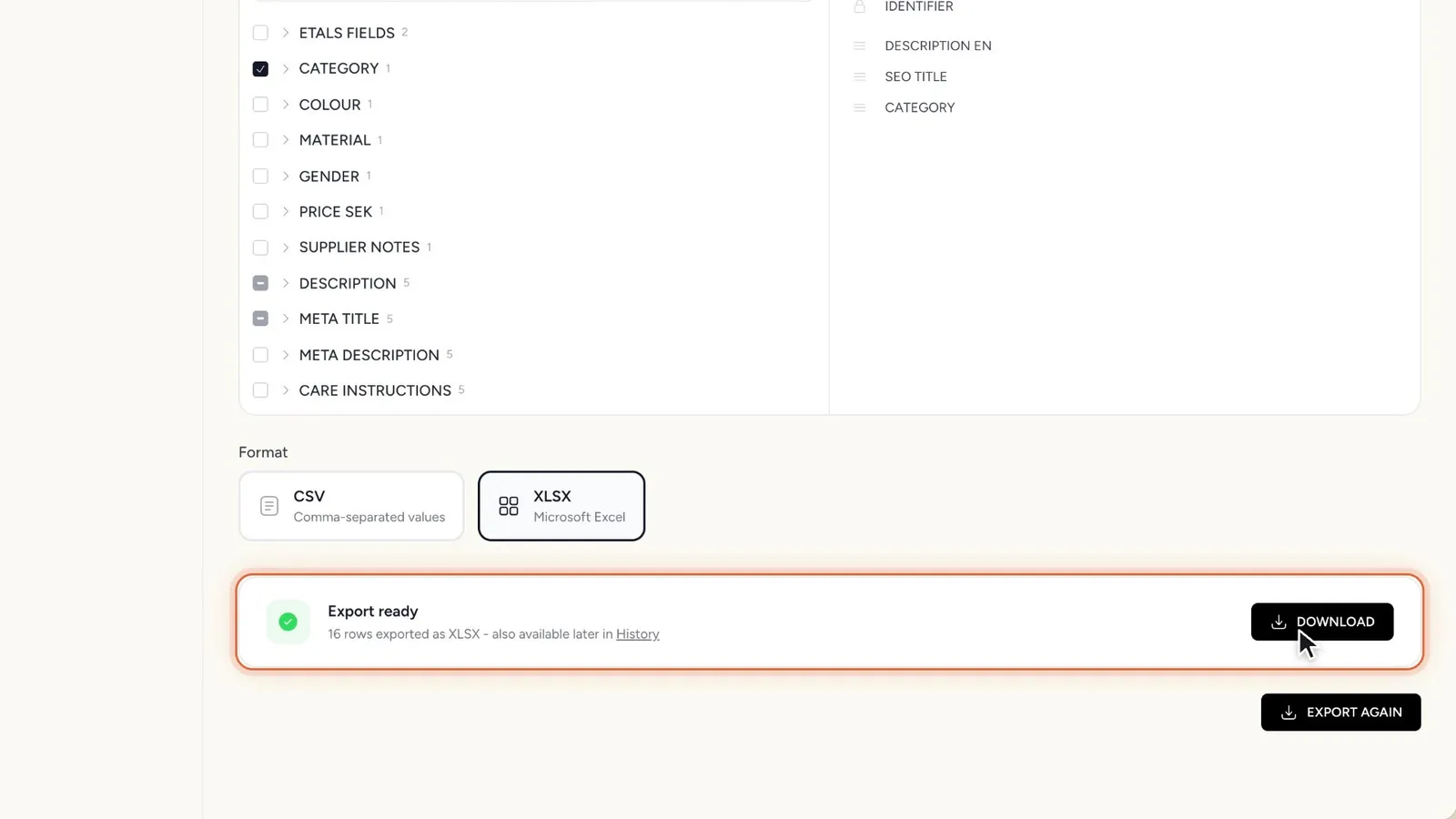
Export a file
File exports live in the Import/Export app. If you don’t have it yet, open My Apps > Browse Apps and click Install on Import/Export. Installing an app needs access to the general settings.
Pick the content type
Open Import/Export > Export. Under Which list do you want to export?, choose the content type, for example Products.
Choose the columns
The Columns panel lists every property, one entry per localization, so “Description” in Swedish and in German are separate columns. Click the ones you want. The identifier is always included as the first column.
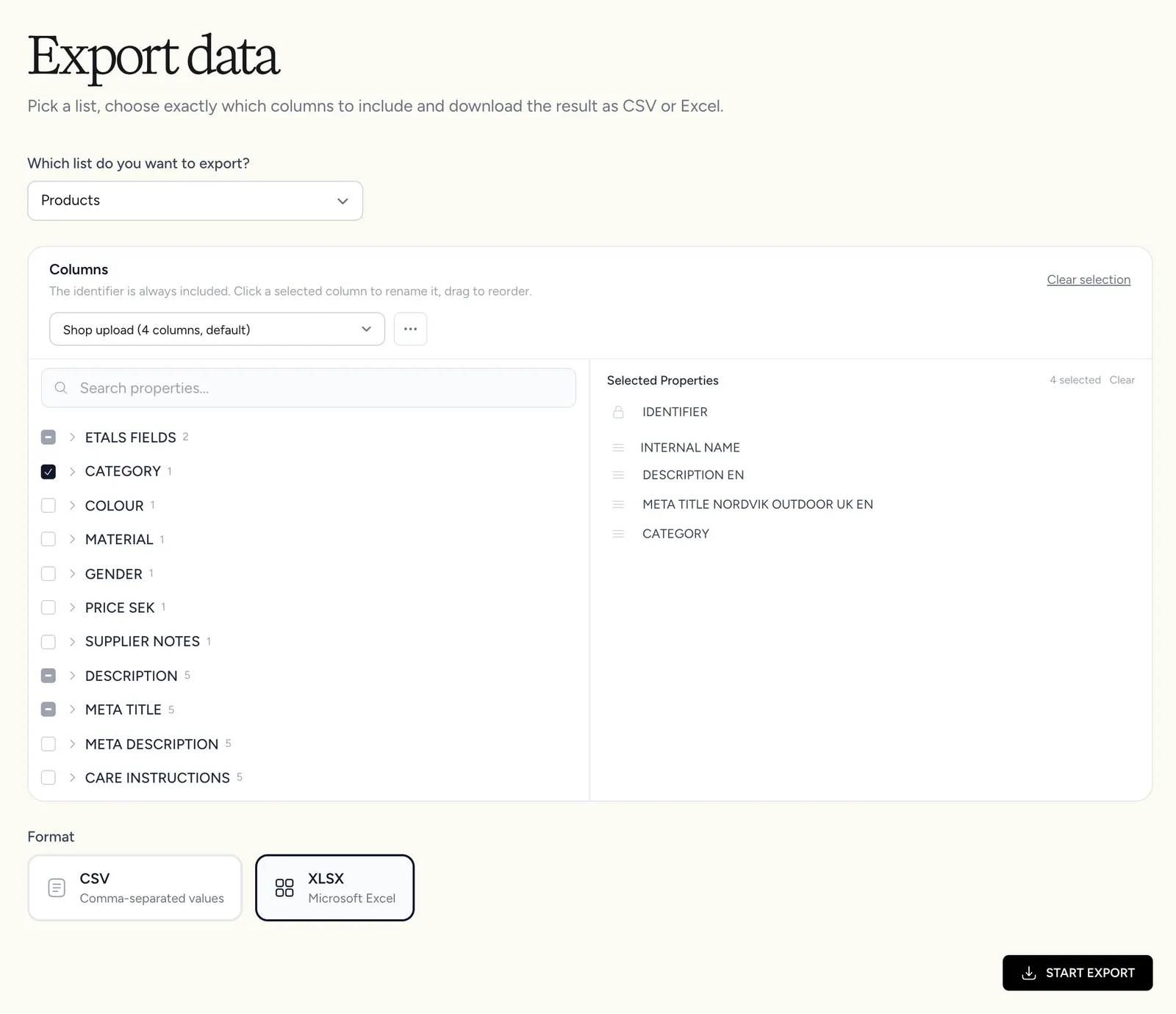
A renamed header is saved on that property’s localization. Etals uses it in later exports and as the column name in My Data. To go back to the original name, clear the field.
The Export data page has no row filter: it exports every item of the content type. To export only some items, use Export this view instead.
Templates
If you export the same columns often, save them as a template.
- With columns picked, click Save as template. Give it a Template name (for example “Webshop SE”) and tick Use as default if Etals should pick it every time you export this content type.
- Next time, choose the template in the template list above the columns. Each entry shows how many columns it has, and which one is the default.
- Change the columns and click Update to save the change to the template. The menu next to it has Discard changes, Edit template, Save as new template, Set as default for this list and Delete template.
Templates belong to one content type. A Products template doesn’t show up when you export Categories.
Export from My Data
Use this when you want only some items, for example all men’s jackets.
- Open the content type in My Data and set up the table the way you want it: search, filters and sort.
- Click the download icon in the toolbar (Export this view).
- Choose CSV or Excel (XLSX), click Next, pick the columns (templates work here too) and click Next again.
- When the export is ready, click Download File.
The file follows the table as you see it: same search, same filters, same sort.
To export a handful of items, tick them in the table and click Export in the bar that appears. Only the ticked items are exported.
Export to a connected platform
When a connected platform is set up for a content type, Etals can send the values it writes straight there. Which properties are sent depends on the property: values of properties created in Etals are only sent when the property is set to Exportable on its page (see Properties). New properties start as Internal only.
There are three ways to start an export.
From a task’s grid
When a run in a task’s grid is done, Etals commits the new values to your data straight away, or once they’re approved if they went to proofreading. Whether they also go to the platform is your choice:
- When you click Generate, the window has a switch Export to followed by the platform’s name (“Sent on after the commit”). It only shows when a platform is connected. Next to it, Send to proofreading holds the values for review first.
- When you click Finish task, the window says Commit to and the content type’s name, with a switch Also export to and the platform’s name.
While the export runs, the cells say “Exporting to” and the platform’s name. Each cell then shows how it went:
If only some values failed, Etals says “Some values could not be exported to” and the platform’s name, and the cells marked Export failed tell you which ones. A notice at the bottom of the grid also counts the values that weren’t exported.
From an automation
In the automation builder, under After it is written, choose Publish to your connected platform: “Results are exported to the integration when the task completes.” Choose Save as drafts to keep the results in Etals until someone reviews them. With Needs approval first on, the export waits until the content is approved.
From a finished task
Tasks that weren’t run in the grid, such as feedback tasks and tasks created through the API, also open as a grid once they finish. They have an Export button at the top. Click it and choose Integration: “Push the results directly to the connected integration. No file is generated.” The option is greyed out until the task is finished. With the Content Calendar app, you can choose Publish later and pick a date and time.
Send content to your own system
If your platform isn’t one of the connectors, Etals can post finished content to an endpoint you build. Etals sets this up for you. See API export for the payload and How integrations work for the full round trip.