
What agents see
An agent can only write a good Description if it knows what the product is. Etals hands the agent the item’s data for you. You don’t need to put variables in your prompts to make that happen.
The short version
Once a content type’s setup is finished, every time an agent works on one of its items, Etals adds a short block about that item to what the agent reads. It holds:
- the item’s Name;
- every property with Agents can see switched on, written as “Property: value”;
- for choice properties, only the options the item has, not the whole list;
- the item’s Images, as image files, if images are switched on.
Etals leaves out:
- the property the agent is writing right now (so it doesn’t copy the old value);
- properties with no value for this item;
- properties with Agents can see switched off.
For properties that vary, the agent gets the value for the language, market or website it’s working on.
None of this is sent until the content type’s setup is finished. Go to Setup > Onboarding, open the content type’s chapter, click Set up and finish the wizard with Finish setup. See Content types.
An example
Nordvik runs a task that writes the Swedish Description of the Fjord Shell Jacket (NV-1001). Description is the property being written, so it’s left out. Meta title and Meta description are empty for this product, so they’re left out too. Nordvik has switched Agents can see off for Price SEK, so it’s missing as well. Supplier Notes is included because Nordvik wants agents to use them.
Simplified, the agent receives something like this:
The real block uses the property names from your workspace and can differ in format. Etals sends it along with the agent’s own prompt, so your prompt can say “Write a product description” and nothing more.
What else the agent gets
The item block is one part of what an agent reads. The others:
Control what agents see
You decide what goes into the item block in two places. Both change the same setting.
In the setup wizard
The wizard’s Properties step asks “Choose what Etals generates and what agents see”. It lists every property with two switches. Turn off Agents can see for what would only distract an agent. The rest of the step:
More context for agents also has Variants and sizes and Stock switches. They are saved with the setup, but they don’t change what writing agents receive yet. Primary language is used today when the chat assistant reads your data, not yet in tasks.
In the Agents can see column
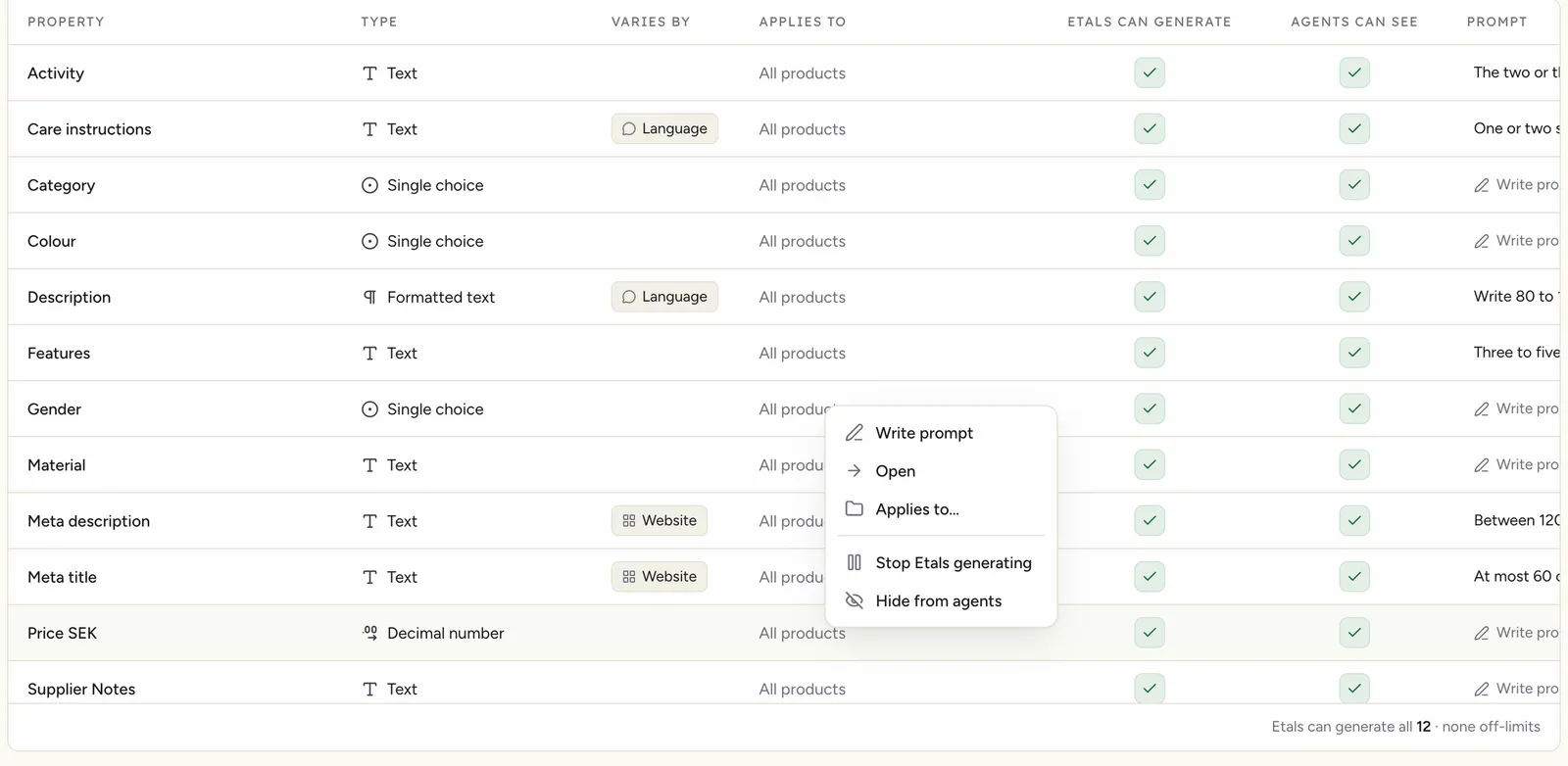
On My Data > Properties & prompts, the Agents can see column has a check box for each property. A check means agents read it. Click the box to switch it, or use Hide from agents and Show to agents in the row menu. Changes apply to the next agent run.
Two switches, two jobs
People mix these up, so here they are side by side.
Choosing what to include
- Include facts an agent needs to write well: material, colour, fit, use case, supplier notes.
- Exclude internal codes, numbers without meaning to a reader, and fields that are often wrong. An agent will repeat bad data.
- Turn Images on for products where looks matter. The agent can then describe colour and shape from the photo.
- Fill in missing values before you run a large task. Empty values are dropped, so the agent has less to go on.
Variables in prompts
You can still pull a specific value into a prompt yourself. In the prompt editor’s Advanced mode, the Variables panel adds values such as the language, the market or one property of the item. Most prompts don’t need this any more. See Prompts.