
Properties
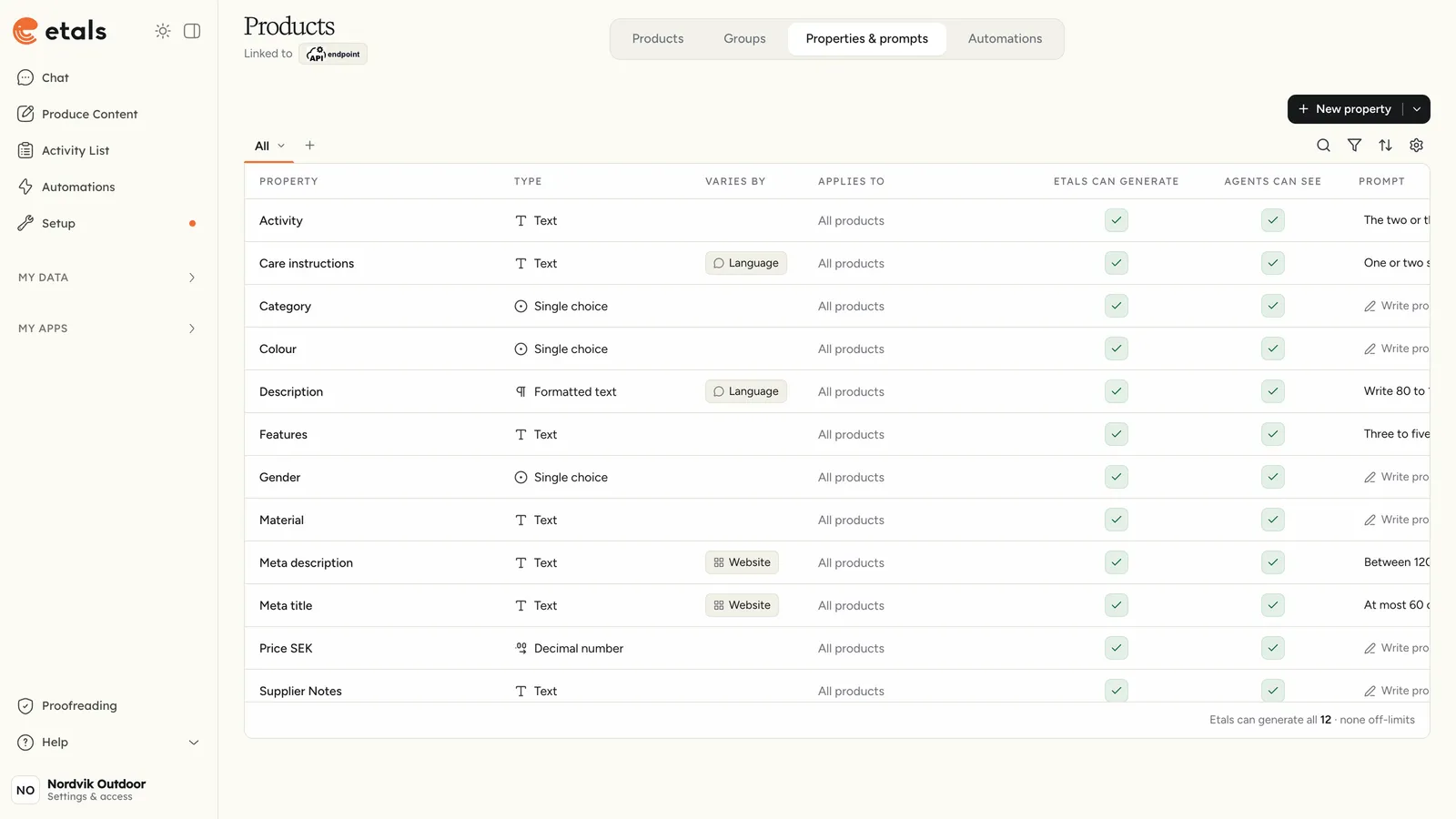
A property is a field that every item of a content type has. Nordvik’s products have Category, Colour, Material, Gender, Price SEK, Supplier Notes, Description, Meta title and Meta description. Agents write into properties and read from them, so they are worth getting right.
The Properties & prompts tab
Open a content type in My Data and click Properties & prompts. Each row is one property.
The footer sums up the Etals can generate column, for example “Etals can generate 3 · 6 off-limits”.
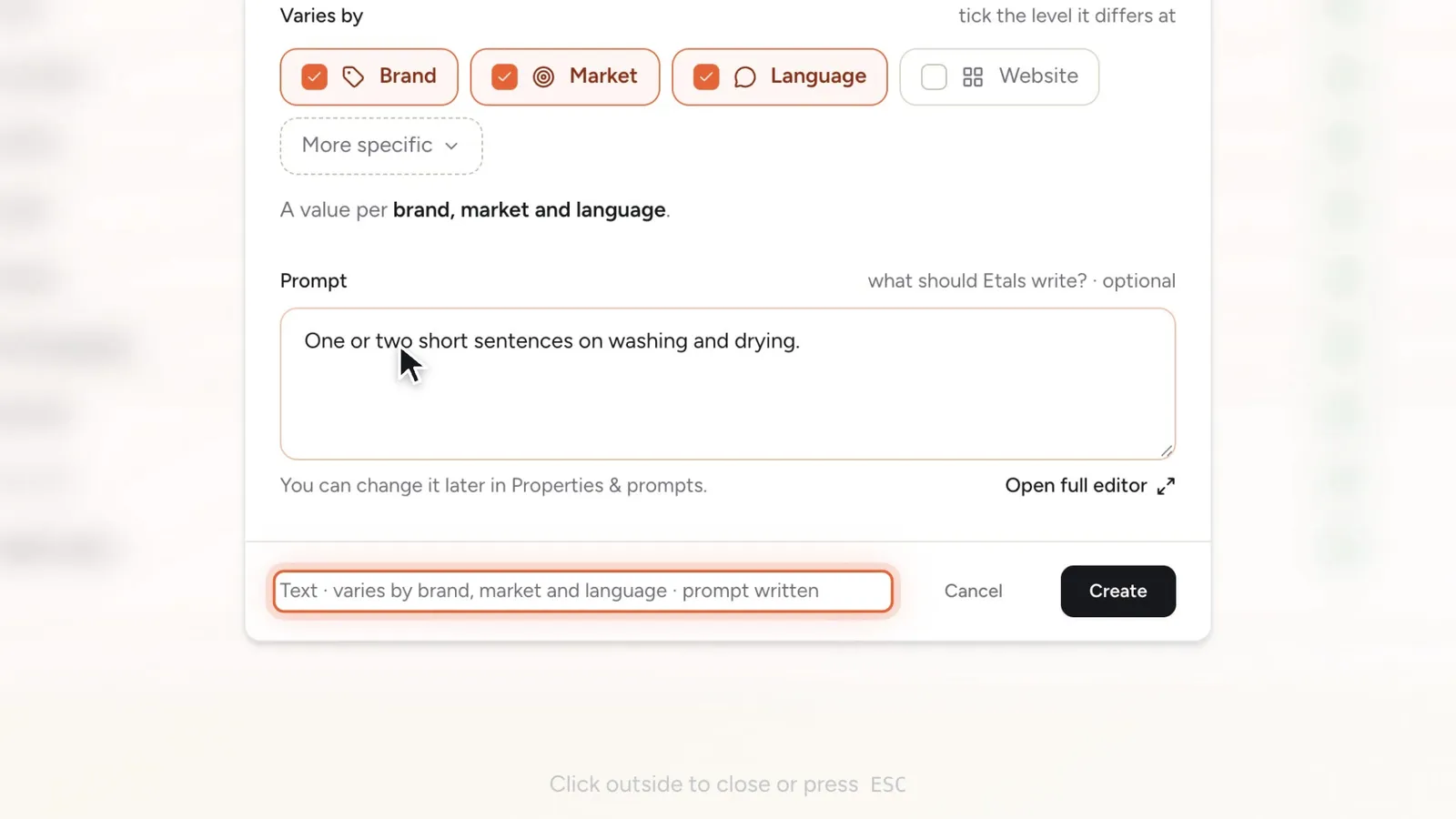
Create a property
Click New property at the top right of the Properties & prompts tab.
A line at the bottom sums up your choices. Click Create. The window closes and the new property shows up in the table.
New properties start with Etals can generate on and set to Internal only (see The property page).
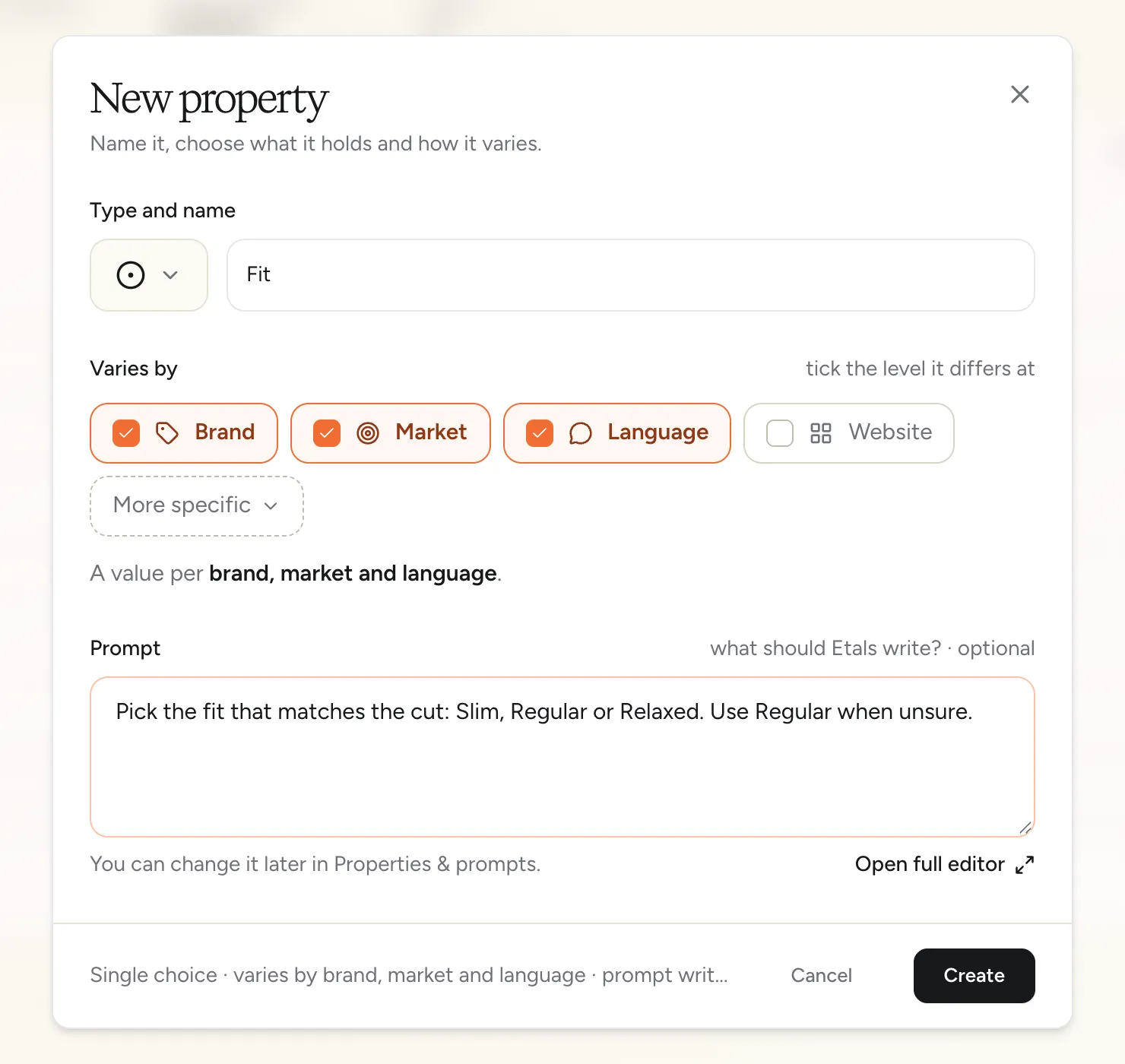
You can’t change a property’s type or its Varies by after you create it. If you picked the wrong one, delete the property and create it again.
Property types
The picker groups types under Text, Numbers & dates, Computed, Choices, Images & video and Links.
Formula only works once computed properties are turned on for your workspace.
Varies by
Tick the level the value differs at. The broader levels are ticked with it, because a website has its own language, a language belongs to a market and a market belongs to a brand.
Each version is called a localization and gets its own column in My Data.
More specific: Country and Currency
Click More specific to also vary a value by Country or Currency, on top of the level you ticked. Formula properties can vary by country but not by currency.
The property page
Click a property’s name to open its page. The top sums up Type, Varies by, Etals updates and Prompt. Click the name to rename it.
Options for choice properties
For choice types, the Items section lists each localization’s options. You can search them, filter to With prompts and add new ones.
Click an option to edit it:
The eye icon hides or shows an option.
Advanced sections
Some properties have extra sections on their page:
- Option rendering template and Reference rendering template: how each option or linked item is written out in prompts.
- Image and video properties: the image model and style used to generate images.
- With the Crawlera app: instructions for filling the property from crawled pages.
- Some linked properties from connected platforms: whether tasks also write fields on the linked item.
Prompts for a property
Open a property’s prompt from the Prompt column, the property page or Setup > Prompts > My Data. Its scopes, All, Copywriting and Translations, let one part apply only when the field is written from scratch or only when it’s translated. See My data.