
Data sync via Funnel API
A funnel is an HTTP endpoint in Etals that accepts JSON from your system and stores it as items of one content type. You decide once, in the funnel’s mapping, which JSON field goes into which Etals field. After that, your system sends data whenever something changes.
Use a funnel for an ongoing sync. For a one-off load, an import is usually quicker.
New to the round trip? Read How integrations work first. It shows where the funnel fits next to the export back to your system.
Before you start
You need:
- An API token with the Create ability (and Delete if you also want to remove items). See Authorization.
- The token must belong to a user whose role has the manage permission for Funnels (
can_manage_funnels). - The Funnels app installed in your workspace.
- A content type with the properties you want to fill. See Content types and Properties.
Set up a funnel
Install the Funnels app
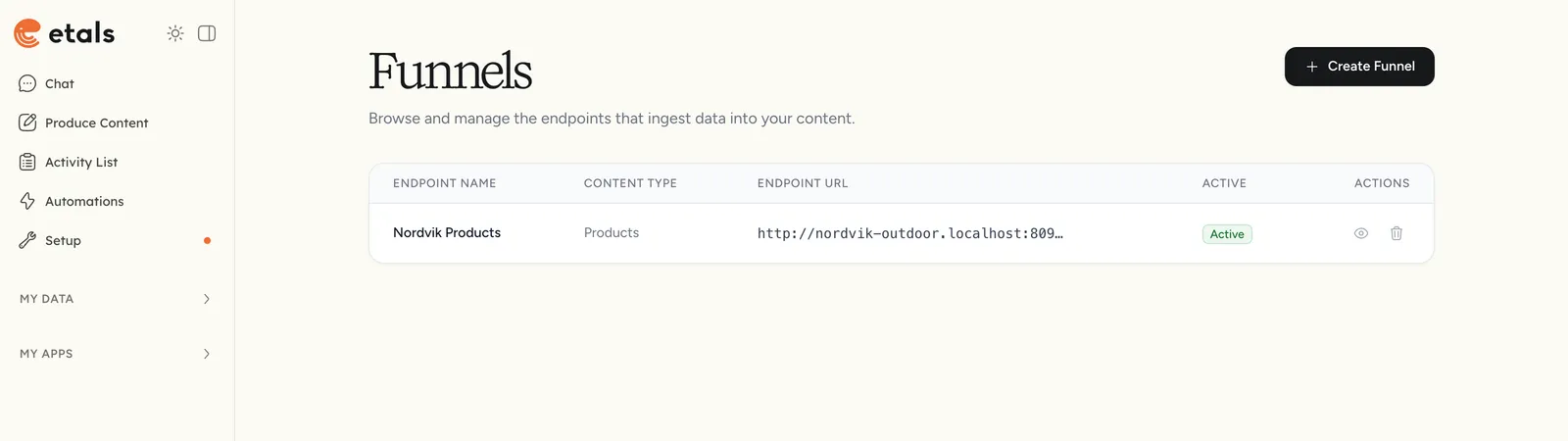
In the sidebar, open My Apps > Browse Apps and click Install on Funnels. The app then appears under My Apps. Installing an app needs access to the general settings.
Map the fields
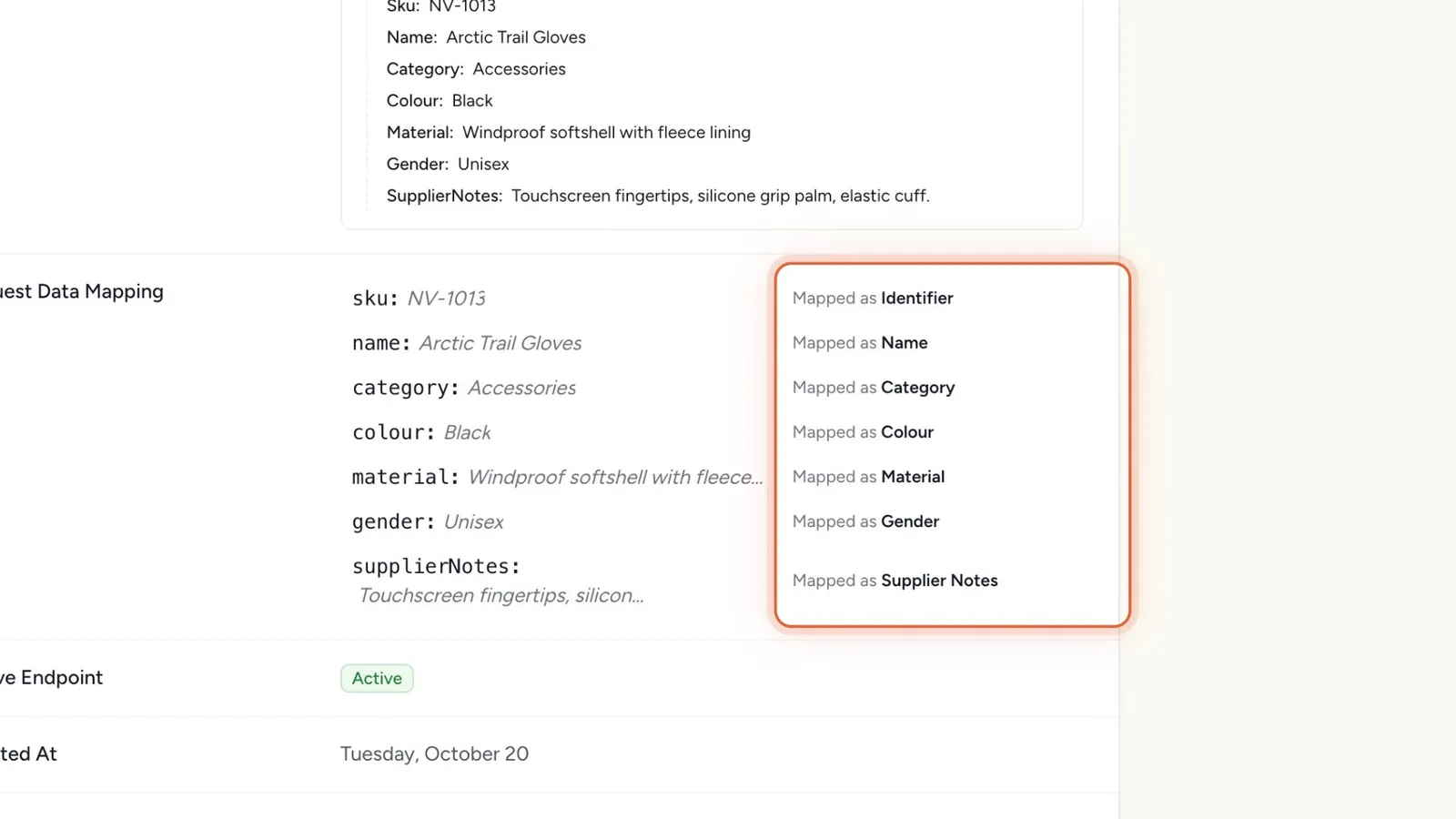
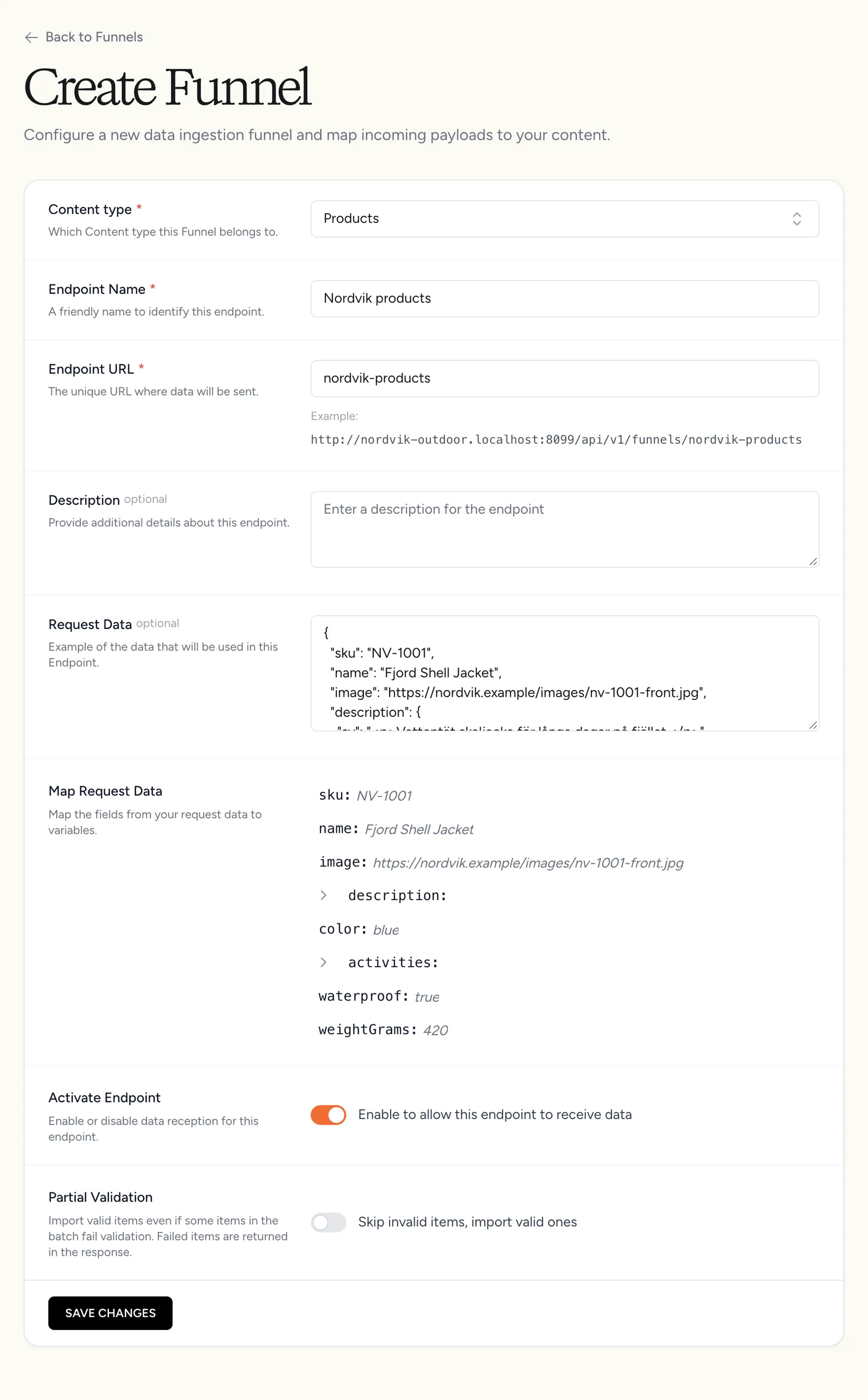
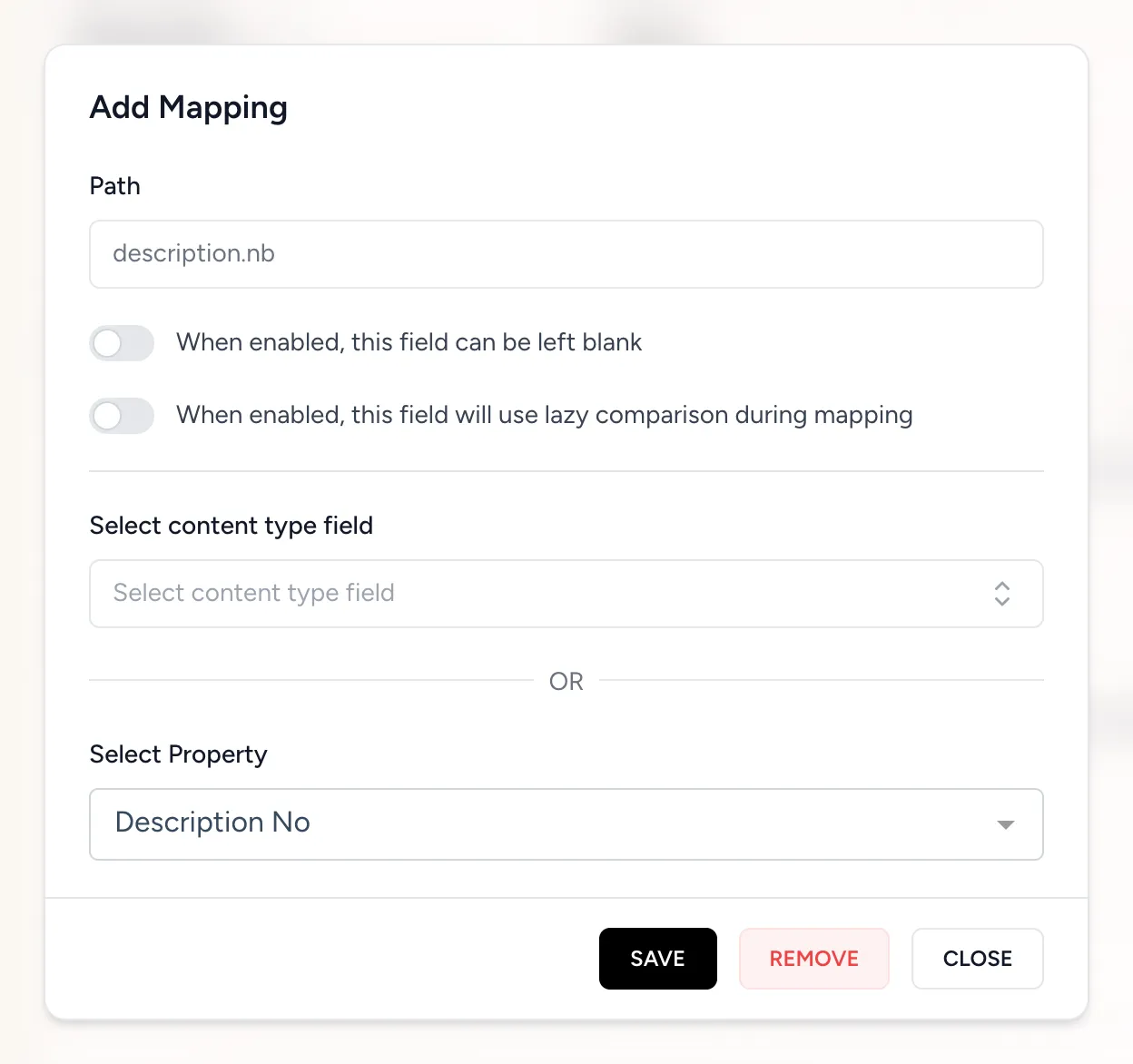
Click a key in the tree under Map Request Data. In the Add Mapping window, pick either a system field under Select content type field or a property under Select Property, then click Save. Repeat for every field you want to store. Mapped keys show “Mapped as” and the target in the tree.
There is no test button. To get a sample payload into the form, send one real request from your system first, then open Edit Funnel. If the funnel has no saved sample, Request Data is pre-filled with the most recent request it received.
Mapping
Each mapping connects one path in your JSON to one target in Etals.
Paths
Paths use dot notation from the root of one item: name, description.sv, seo.metaTitle. If you send an array of items, the paths are relative to each item, and the tree is built from the first item of the sample.
Map values that sit under object keys. Do not map a single element inside an array (such as images[0]). When a property takes a list, such as options or a reference list, map the whole array.
Targets
A target is either a system field or a property.
System fields depend on the kind of content type. Most content types, including a Products content type you create in Setup, use the first row. The other two rows apply to the built-in product and category types that some integrations (such as Shopify) use. The Select content type field list in the mapping window always shows the right ones.
A property appears once per localization in the Select Property search. For example, Description for Swedish and Description for Norwegian are two separate targets. Each target can be used by only one path in a funnel.
Mapping options
Send data
Always send Accept: application/json. Without it, an authentication or permission failure answers with a redirect to the sign-in page or an HTML error page instead of JSON.
The body is either one item (a JSON object) or a list of items (a JSON array). Each item is checked and stored on its own.
Example
Nordvik Outdoor maps this payload to its Products content type:
How each property type reads its value
References
Etals finds referenced items by the identifier they were sent with through a funnel, and if that fails, by their own identifier (product number or item identifier). Identifiers that match nothing are dropped without an error. Send the referenced items before the items that point at them.
Images and media
- One URL per mapped field. To store several images, map each one to its own media property.
- Etals downloads the image during your request, so large batches with many new images take longer to answer.
- Images are reused by URL. Sending the same URL again does not download it again. To replace an image, send a new URL.
- If a download fails, the request still succeeds. For a media property, the stored value for that item is cleared. For the main image field, the current image is kept.
Localized values
A funnel has no special locale syntax. Each localization of a property is its own mapping target, so you send one JSON field per language, market, brand or website and map each field to the matching localization. The description.sv, description.nb and description.en fields in the example above show the pattern.
If you add a language later, add the new field to your payload and add one mapping for it.
Create or update
Etals matches every item by its identifier.
Built-in product type
- An item previously sent through a funnel with the same identifier is updated.
- Otherwise, an existing product with the same product number is taken over and updated (for example one created by another integration).
- Otherwise, a new product is created.
Content types you create (including Products made in Setup)
- An item previously sent through a funnel with the same identifier is updated.
- Otherwise, an item in the same content type with the same identifier is updated.
- Otherwise, a new item is created. If Name is not mapped, the identifier is used as the name.
For both:
- An item that was deleted is restored when you send it again.
- Properties that the funnel does not map are never touched.
- Send each identifier once per request. If it appears twice, both copies are applied in order.
On the built-in product type, always map Product Name. If it is not mapped, the product’s name is saved as empty, also on existing products.
Parent items
On content types you create, Parent Identifier links an item to a parent item of the same content type. The parent must already exist in Etals, or come earlier in the same request. An item whose parent cannot be found is not stored, even though the request was answered with 200. Send parents first.
The built-in product type has no parent field in a funnel.
Missing and empty values
Empty strings in your JSON are treated as missing values.
To update only some properties of an item, do not map the others in that funnel. A second funnel with a smaller mapping is a clean way to send partial updates.
What happens after Etals answers
When the response is 200, the items have passed validation and are queued for storage. They are written to the content type shortly after, usually within seconds, depending on load. Image downloads are the only part that happens before the response.
Once the items are stored, automations that react to data changes run for the changed items, for example to write missing descriptions. The produced content can then be sent back to your system. See API export.
Responses
Funnel responses always contain status and message. Empty fields are left out.
Success
Validation failed (Partial Validation off)
Nothing from the request is stored.
Partial validation
With Partial Validation on, valid items are stored and invalid ones are skipped. The response is 200 with status: success, so check for errors and errorsWithoutIdentifier in every response.
data.successIds lists the identifiers that were accepted. It is left out when no item was accepted, and the message stays the same in that case.
Delete items
Send a DELETE request to the same endpoint with the identifiers to remove.
You can also send a list of such objects: [{ "identifiers": ["NV-1001"] }, { "identifiers": ["NV-1003"] }].
- The token needs the Delete ability.
- Deletes are soft deletes. The item is hidden in Etals and comes back if you send it to the funnel again.
- On the built-in product type, any product with that product number is deleted. On content types you create, only items that came in through a funnel are deleted.
- Identifiers that match nothing are ignored without an error.
- Deletes happen before the response is sent.
Empty bodies, unknown or inactive funnels and authorization failures answer the same way as for POST.
Request history
Every request that reaches an existing funnel is saved, including failed and delete requests. Open the funnel to see Recent Received Requests, which shows the latest 10 with their status, message, time, the sending host (taken from your Referer or Origin header, if you send one) and the full payload. Errors for items that have an identifier are stored with the request. Items that failed because the identifier itself was missing only appear in the HTTP response, so with Partial Validation on, a batch where only such items failed is listed as a success. Log the responses on your side.
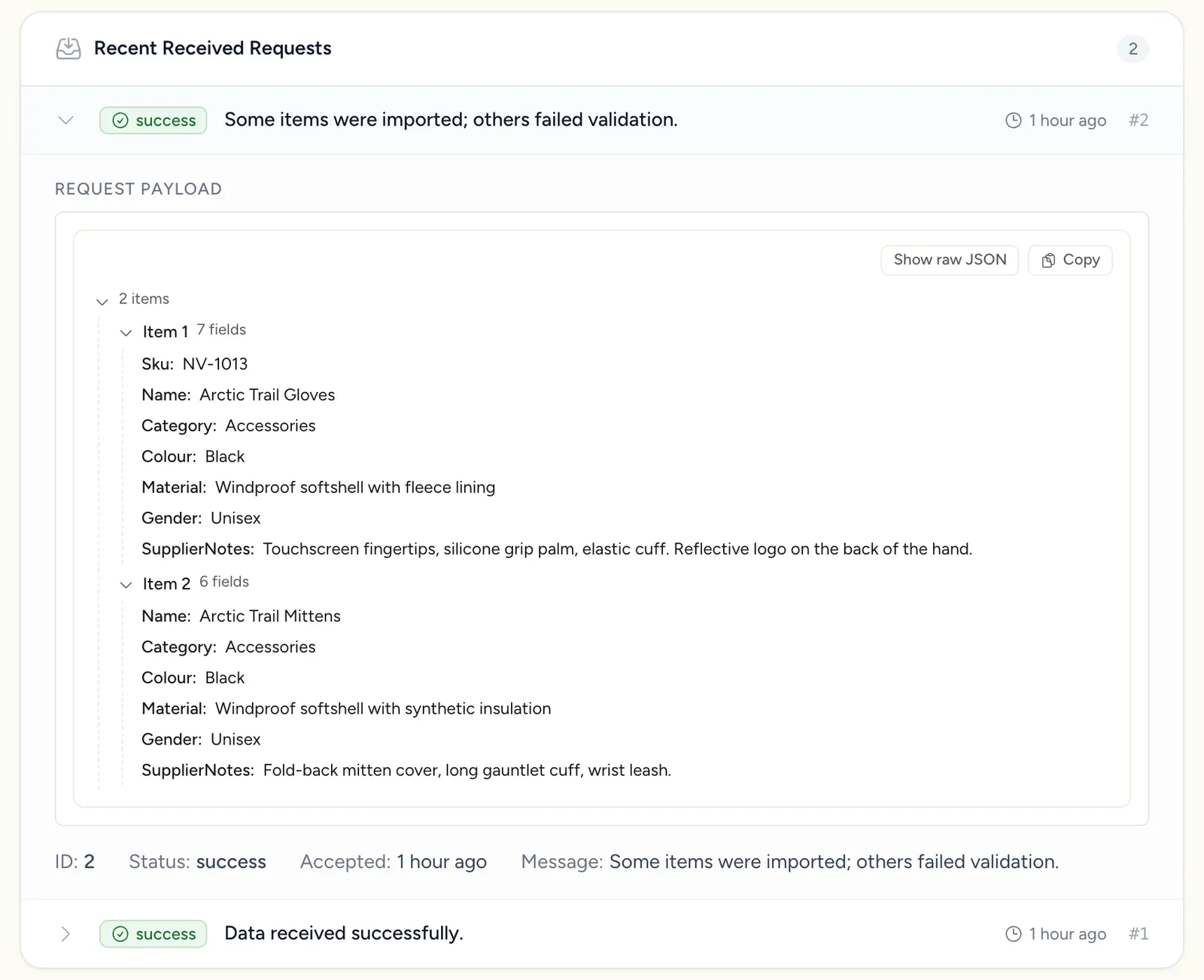
Use it to check what Etals actually received while you build and test the sync.
Good practice
- Batch size. There is no fixed item limit per request. Requests that include new image URLs stay open while the images download, so keep batches to a few hundred items and set a generous client timeout.
- Retries. A
5xxor a network error can be retried with the same body. Re-sending items is safe because they are matched by identifier. - Order. Send referenced items and parent items before the items that point at them.
- One owner per field. Map only the fields your system owns, so a sync does not overwrite content produced or edited in Etals.