
Pipelines
Pipelines sits in the Advanced menu at the end of the Setup tabs, and only shows when Etals turns it on for your workspace. Etals sets up the pipelines you need, so most teams never open it.
A pipeline is the list of steps a task runs. When Nordvik Outdoor translates the Fjord Shell Jacket description into German, the “General translations” pipeline sends the text to the Translator, passes the result to the Translation Validator, and then writes the approved text. Pipelines decide which agents work on a task, in what order, and when a step is skipped.
The library
Go to Setup > Advanced > Pipelines. The pills at the top show General, one pill for each of your content types, and Archived. Click the search icon to find a pipeline by name, or click New pipeline to start one.
Cards are grouped by the kind of task they run: Produce, Translate, Enrich, Create assets and Other. Each card shows a one-line summary of what the pipeline does, how many steps and agents it has, and a warning if an agent it uses is no longer available.
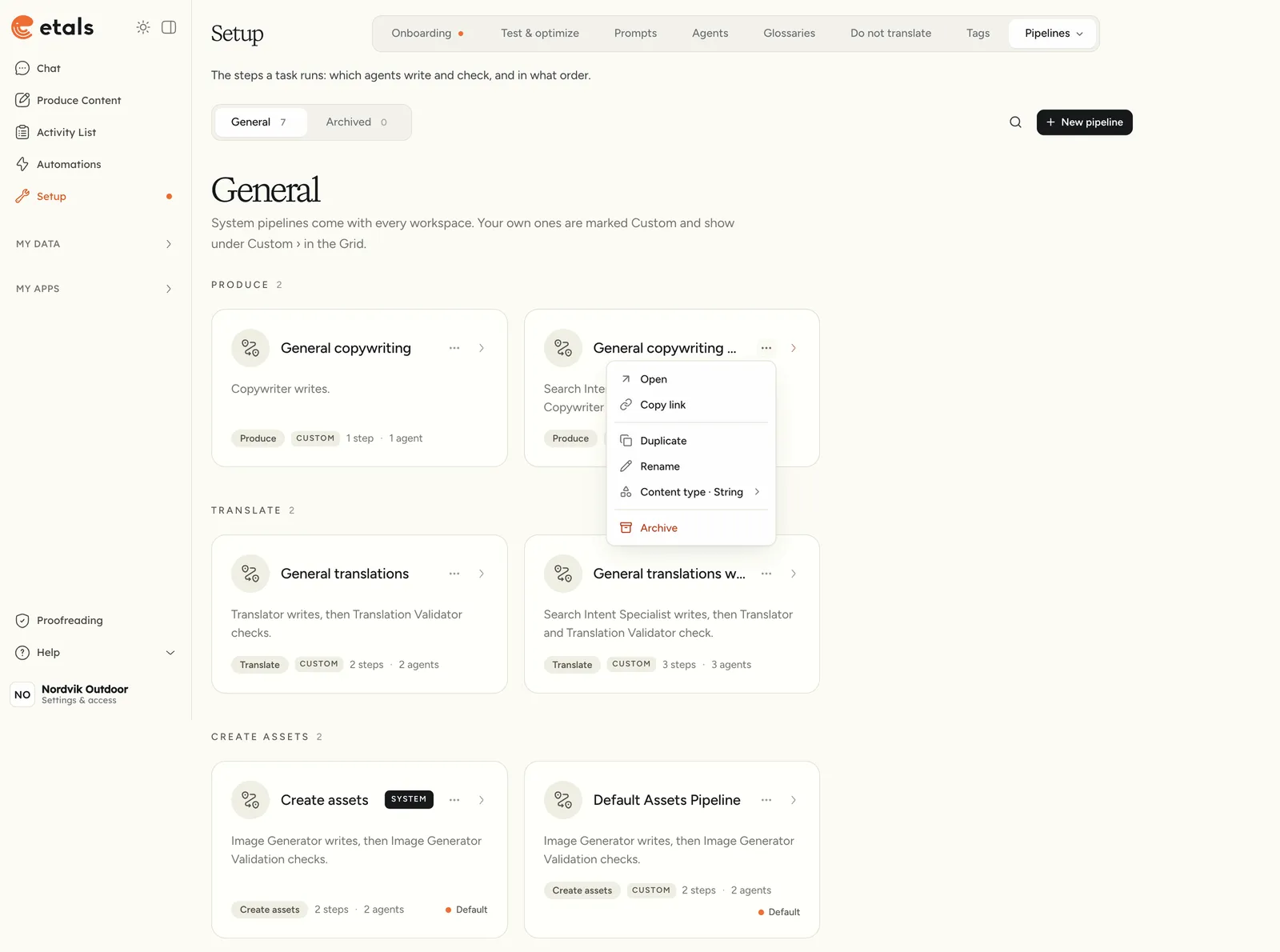
There are two kinds of pipeline:
- System pipelines come with the workspace. If you can manage pipelines, you can rename and edit them, but you can’t archive or delete them.
- Custom pipelines are your own. You can rename, edit and archive them.
To try changes without touching a System pipeline, open its menu and click Duplicate. The copy is a Custom pipeline you can edit. For example, Nordvik could duplicate “General copywriting” and add a check that only runs for the German site.
The builder
Open a pipeline to see its steps on a canvas. At the top you set:
- the pipeline name;
- what it connects to: content types under Content Studio, or creator types under Master Content Creation. Quick Requests makes the pipeline available when people upload files or paste text;
- a Tag (Translations, Copywriting, Data Enrichment, Media or Other), which decides the task group the pipeline shows in.
Click a block in the palette to add it to the canvas, connect the blocks, and click Update to save.
Model rules
Model rules let one step use a different model in some cases. Each rule has a condition and a model. First matching rule wins, and Otherwise use sets the model when no rule matches. Nordvik could keep the agent’s own model for most languages and add a rule that uses a Pro model when the target language is German. Read more about tiers on Models.
Skipping work
A Condition followed by Skip stops a step from running where it isn’t needed. For example, a translation pipeline can skip items when the target website is nordvikoutdoor.co.uk, because the English text already exists.
How a pipeline is picked
You rarely choose a pipeline by hand. When you add a property column in a Produce Content grid, Etals offers an action that fits the property:
Each action runs the property’s own pipeline if it has one. Otherwise it runs the content type’s standard pipeline for that kind of task, normally the System one.
Your Custom pipelines appear under Custom in the same menu, grouped by task. If a property shows “No pipeline set up”, there is no pipeline for it yet. Ask Etals to add one.