
Import
Use an import when you have your data in a file: a product export from your PIM, a spreadsheet from a supplier, a glossary from your translators. Etals reads the file, works out the column mapping with you in a chat, and shows you exactly what would change before it writes anything.
For data that changes all the time, a Funnel API sync or an integration is a better fit.
Install the Import/Export app
Imports and exports live in the Import/Export app. In the sidebar, open My Apps > Browse Apps and click Install on Import/Export. Installing an app needs access to the general settings. The app then shows under My Apps, with three pages: Import, Export and History.
Import a file
Choose what you're importing
Open Import/Export > Import. The Import data page shows four cards. Pick one.
Choose the content type
For Items & properties and Keywords, pick the content type under Which list should this import into?, for example Products.
Agree on the mapping
The assistant reads the file and proposes a mapping: which column goes into which property, and in which language. It reuses your existing properties where it can, and proposes new ones for columns that don’t match anything.
Change the mapping by writing to it in plain words:
- “Map Färg to Colour.”
- “The Beskrivning column is the Swedish Description.”
- “Skip the Internal ID column.”
- “Use the SKU column as the identifier.”
- “Only update products that already exist. Don’t create new ones.”
If the assistant needs a decision from you, such as which column holds the identifier, it asks.
When you’ve imported a file with exactly the same columns before, Etals remembers how it was mapped and goes straight to a preview.
The assistant can only do what your role allows. Reading the file needs access to imports, changing the mapping needs permission to manage mappings, and previewing or running an import needs permission to manage imports. If the assistant says you’re missing one, ask an admin.
Check the preview
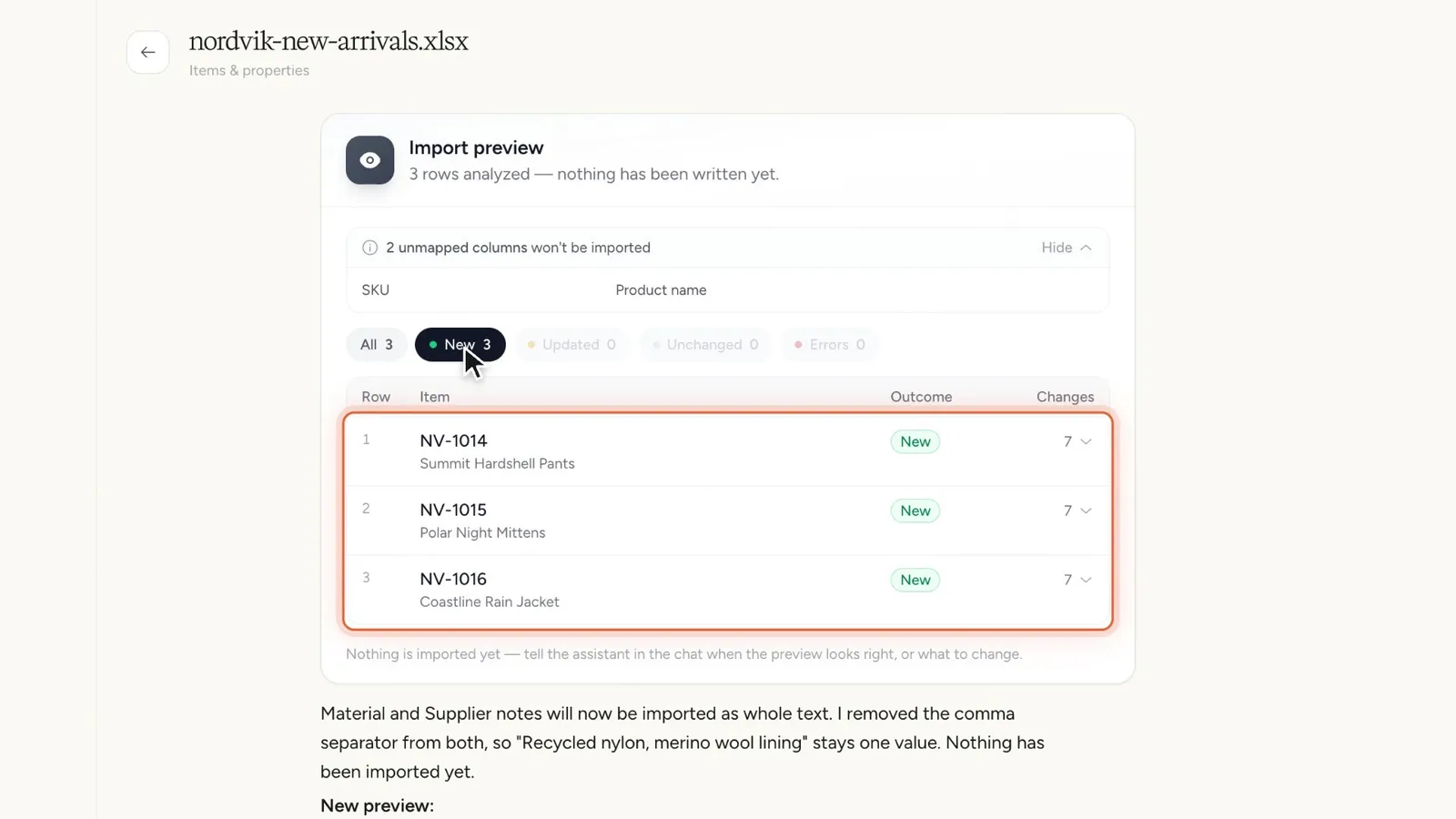
Ask for a preview (“Show me a preview”) or wait for the assistant to offer one. The Import preview card appears in the chat. Etals has simulated the import and nothing is written yet.
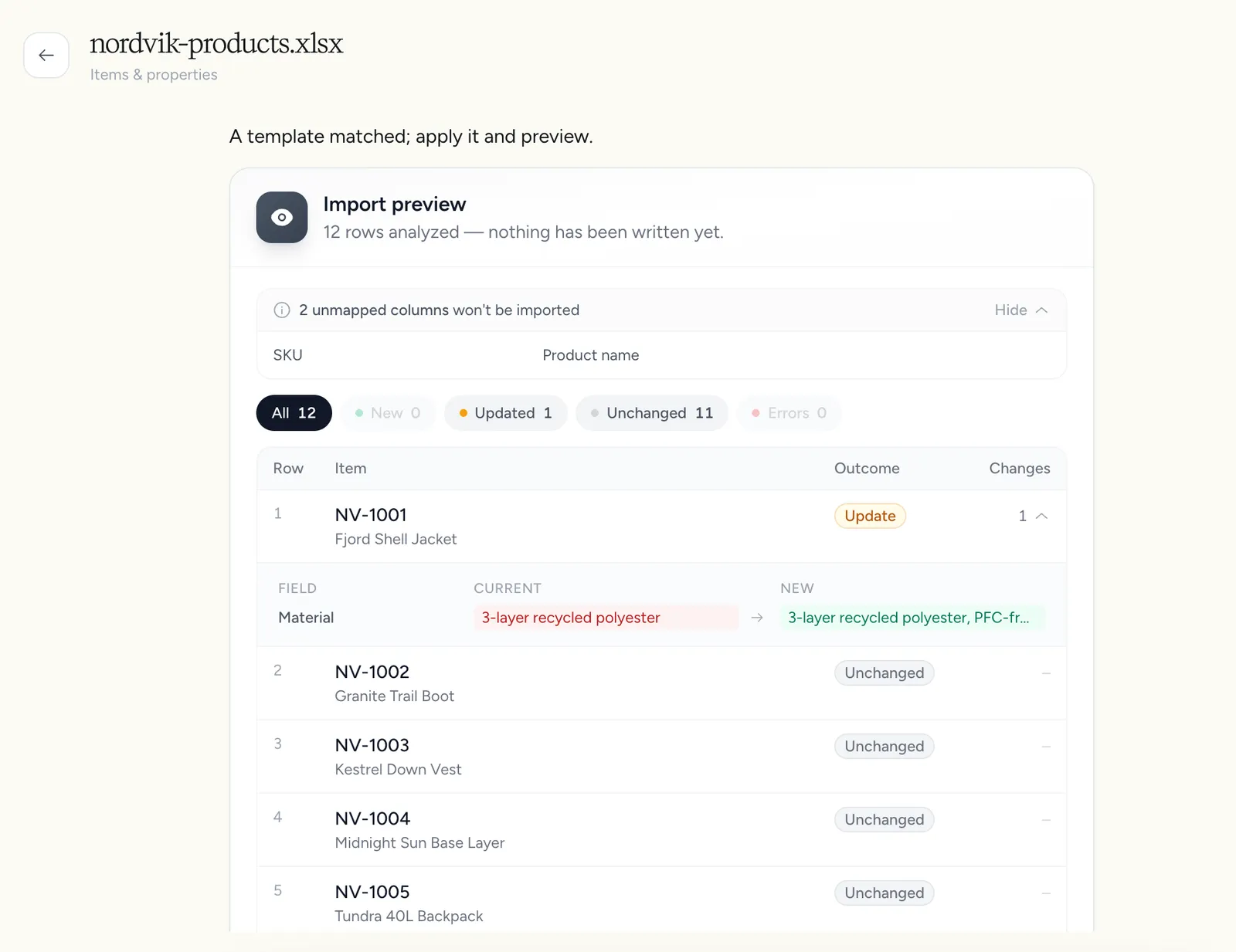
The card shows:
Read the Updated rows carefully. They show which existing values the import would overwrite.
If something looks wrong, tell the assistant what to change. After a mapping change, it previews again before anything is imported.
Run the import
When the preview looks right, say so in the chat (“Looks good, run it”). The assistant only starts the import after you have confirmed a preview.
An Import running card shows the progress: Queued, Importing…, then Completed, Completed with errors, Failed or Cancelled, with the number of items processed and failed. Click View what changed to open the import’s detail page.
History
Import/Export > History lists every import and export, and who started it. The imports tab has the columns File, Type, Status, Items, By, Started and Finished. Search by file name.
Click an import to open its detail page:
- Counts for created, updated, failed and pending items.
- Rows: every row with its Identifier, Name, Type, Result and Error. Filter it, or search by identifier or name.
- Open conversation takes you back to the import chat.
- Download file gets the original file, as long as it’s still stored.
From My Data
On a content type’s page in My Data, click the arrow next to New task and choose Import. The options:
Without the Import/Export app, Upload a file opens a smaller importer in a window instead. It works the same way in short: Upload & Analyze, check the mapping (you can ask for changes in plain words), then Start Import.
From the setup wizard
When you set up a new content type in Setup > Onboarding and it has no items yet, the wizard asks where they come from. Import a file opens the smaller importer right there. Product feed takes you to the feed setup. See Content types.
Tips for a good file
- One row per item. Don’t spread one product over several rows.
- One identifier column. Use the same identifier your other systems use, such as
NV-1001. Etals matches rows to existing items on it. Rows with a new identifier create new items, unless you asked for updates only. - One column per language for translated fields. For example “Description SV”, “Description NO” and “Description DE”. Tell the assistant which language each column is if the header doesn’t say.
- One column per property. For multiple choice values in one cell, separate them consistently (for example with
|) and tell the assistant which separator you used. - Keep the header on one row. If your file has extra rows above the data, such as a row of types or a row of languages, the assistant can handle it, but tell it which row holds the column names.
- Start small. Import ten rows first, check them in My Data, then run the full file.